Review 050 · USB Flash Drives
SanDisk Ultra Luxe vs Extreme PRO 1TB: Metal Flash Drives
A keychain-sized 128GB drive and a 1TB dual-connector drive share a metal body, but they answer very different jobs, and heat shows up in the reviews.
 Storage · buyer's guide
At a glance
-
Recommended, with caveats
SanDisk 128GB Ultra Luxe USB-A
- Best for a keychain drive that carries documents, photos and music between PCs.
- Skip it if you copy big files for minutes at a time or hate warm metal.
4.5 (887 ratings)$28.36Power Up on Amazon -
We recommend
SanDisk 1TB Extreme PRO Dual Drive
- Best for backups and large project files moved between USB-C and USB-A machines.
- Skip it if a bare connector in a bag bothers you or you only move documents.
4.6 (1,353 ratings)$259.99Power Up on Amazon
Which metal SanDisk drive fits the way you carry files
You have a folder of raw video on the laptop, a client waiting on the other end, and one drive in your pocket. Or you have a teenager who needs homework on a stick that survives a backpack. Both jobs call for a flash drive, and both are easy to get wrong if you buy on the headline speed alone.
This pair is two metal-bodied SanDisk drives that sit far apart. The Ultra Luxe is a small USB-A stick with 128GB of space. SanDisk quotes up to 400MB/s read speed for it, and it comes with a 5 year manufacturer warranty.
The Extreme PRO Dual Drive is the larger brother. It reaches up to 1,000MB/s read and 900MB/s write on the brand's figures, and the model reviewed here holds 1TB. It has a USB-C plug on one end and a USB-A plug on the other, so one drive works on a new laptop and an older desktop.
The gap is not only speed. The Ultra Luxe is a keychain item, while the Extreme PRO is a working drive you plug in on purpose.
Heat is the other thread running through the reviews, and it matters more on the smaller drive than you might expect. Buyers of the Ultra Luxe bring it up again and again.
We lean toward the Extreme PRO for anyone moving large files, and toward the Ultra Luxe only for light carrying. Each drive also lets some buyers down, and you will see where in the sections that follow.
A few plain facts help before you choose. Check which ports your laptop has, how big your usual files are, and whether the drive will live on a keyring or in a bag.
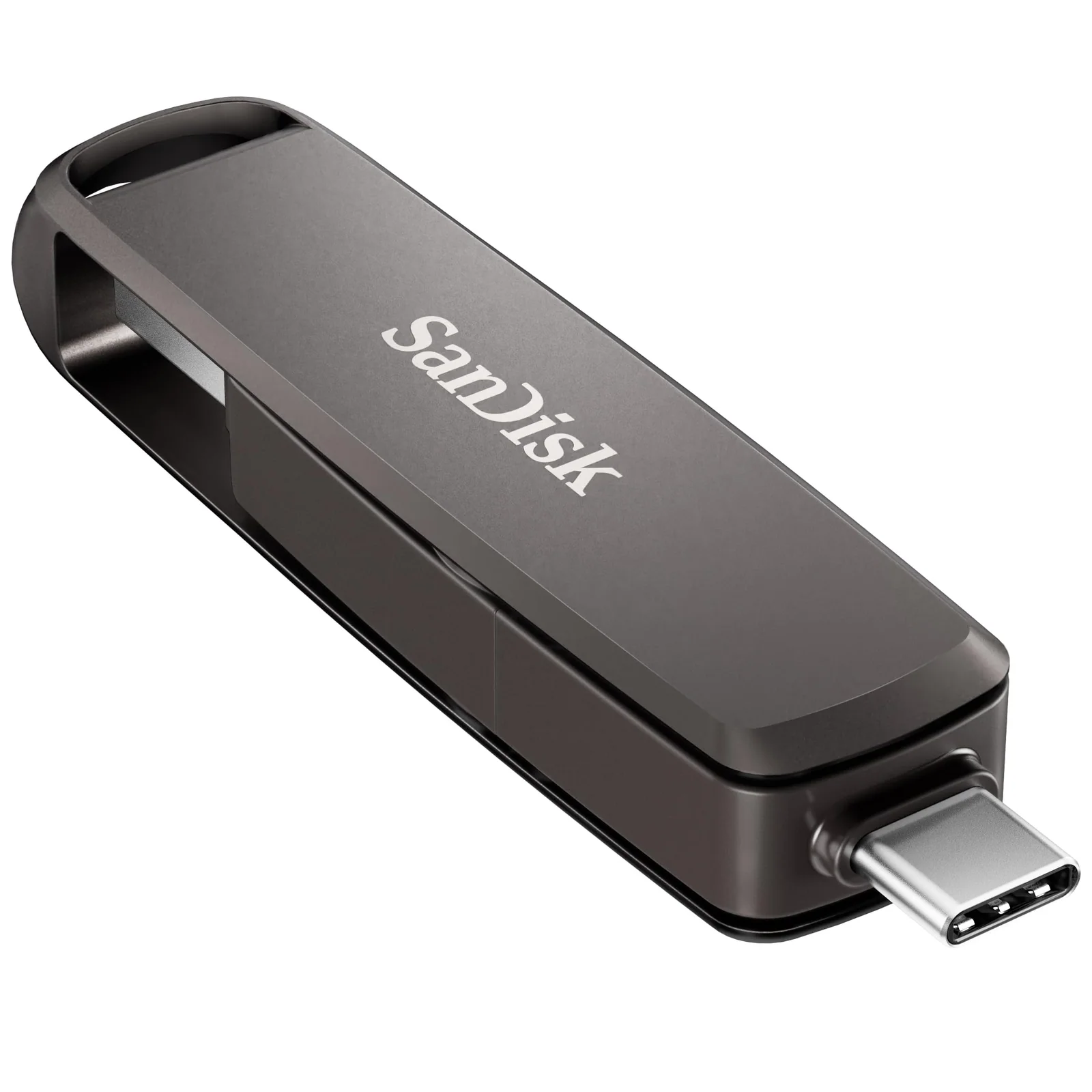
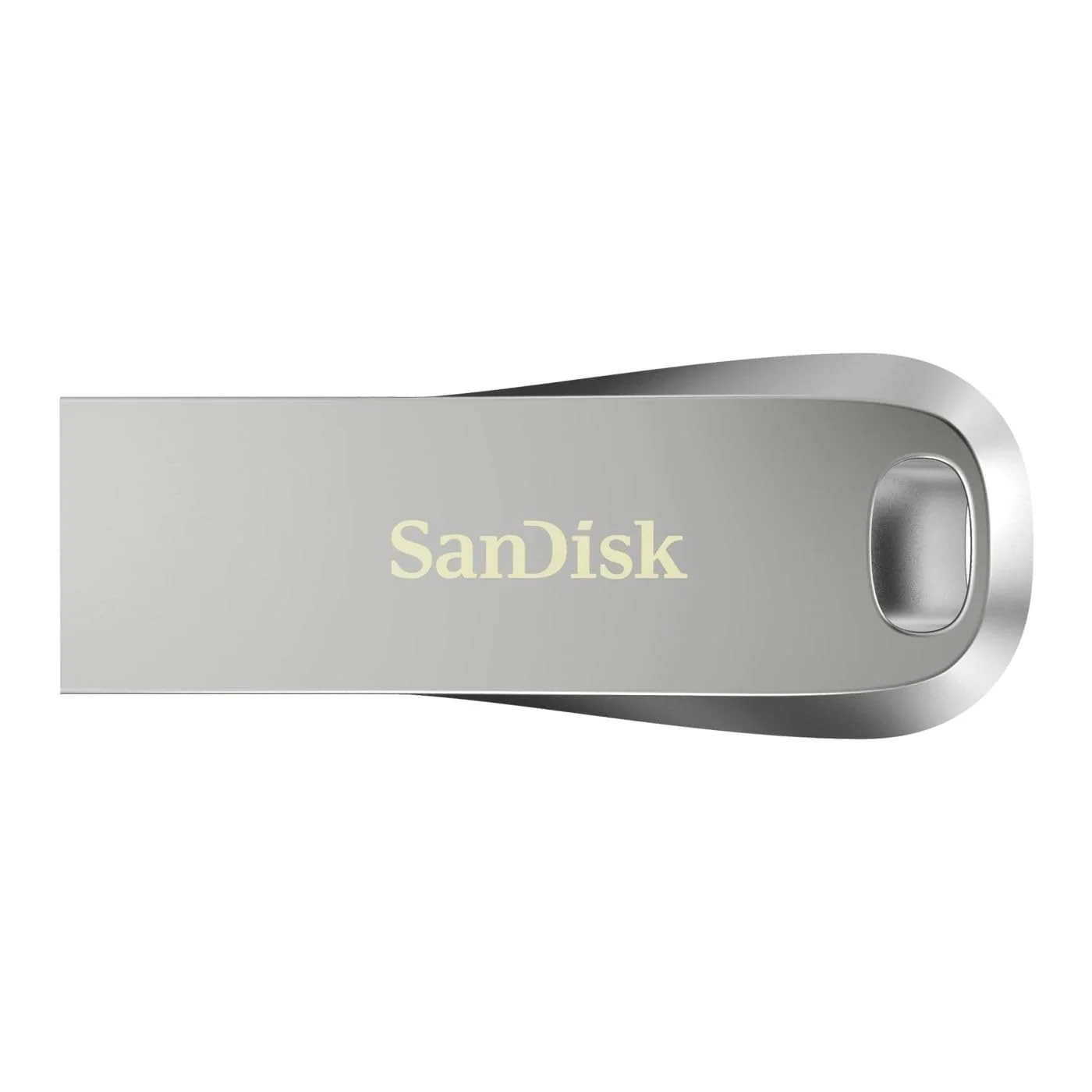
SanDisk · metal-housing 400MB/s drive (Ultra Luxe)
Ultra Luxe: the keychain drive that runs warm
Datasheet · from the SanDisk page
| Capacity | 128 GB |
|---|---|
| Connection | USB 3.2 Gen 1 |
| Read speed | 400 megabytes_per_second |
| Works with | Personal Computer, Smartphone, Camera, Tablet |
| Size | 1.57"D x 0.62"W x 0.23"H |
| Model | SanDisk Ultra Luxe USB 3.2 Gen 1 Flash Drive |
| Weight | 9.07 g |
| Warranty (brand) | 5 year manufacturer |
Works with / fits
Ports: USB-A
Compatible devices (page): Personal Computer, Smartphone, Camera, Tablet
From the SanDisk product page
The Ultra Luxe measures 1.57 inches deep, 0.62 wide and 0.23 high, and the product page lists a weight of 9.07 grams. That is shorter than a finger and light enough that you stop noticing it on a ring. One Canadian buyer wrote that they had no idea how small it was until it was in their hand.
The body is cast metal, and the keychain hole is part of the metal itself. A US reviewer liked that detail: the hole is in the body, so there is no thin ring or plastic tab to snap off. Another buyer carries it on a car key chain and was pleased with how strongly built it felt.
SanDisk lists USB 3.2 Gen 1, a USB-A plug, and compatibility with computers, smartphones, cameras and tablets. The brand's 400MB/s figure is a read speed, and it asks for a USB 3.0 port to get there. SanDisk also notes that real performance varies with the host device and the drive capacity.
Password protection is included through downloadable software. The brand says it uses 128-bit AES encryption and works on Windows 10 and later and macOS 10.9 and later, with a software download required. One parent bought it for a child, kept a small encrypted container on it for important papers, and left the rest for music, video and homework backups.
Now the trouble. Heat comes up again and again. One reviewer said that after five minutes plugged in, it gets exceedingly hot, and that moving files may throttle the speed.
felt like a boiling kettle when I withdrew the device
Another wrote that within a minute in the port, with nothing being written, the drive felt like a boiling kettle, and they feared for the port. A reviewer who stayed happy still called it hot when in use but had seen no reliability problems, and another said it cools down quickly.
Those are buyer reports, not our measurements, and SanDisk's page says nothing about temperature. Still, five of the nine reviews we read mention warmth, so you should expect it. About one in twenty buyers gave it a single star.
Speed has a second catch. One buyer found that two copy jobs writing at once took ten times longer than the same jobs run one after the other.
Another said write speed is slow, and that large writes on a USB 3.0 port are almost unusable. A third buyer simply said they were not sure what speed it should hit.
So this is a drive for short jobs: a document, a handful of photos, a playlist. It is not the one to pick for a long video dump. If your desk has only USB-C ports, you will also need an adapter, since the plug is USB-A only.
What buyers wrote about the SanDisk 128GB Ultra Luxe USB-A
1 out of 5 Burning hot and potentially damaging
Not sure the performance of this USB itself but it is not worth plugging into your computer. Within a minute in the port, not even writing, the drive became excessively hot. I fear it may have damaged the port and felt like a boiling kettle when I withdrew the device.
3 out of 5 TOO HOT!
Nice design, however if plugged in for longer than 5 minutes it gets exceedingly hot. If you are moving files it may throttle the speed.
5 out of 5 Very nice
The molded metal formfactor means that it's easy to add to your keychain and always have it handy; since the hole is in the metal body of the drive itself that means no tiny metal ring or plastic tab to break off. As long as you don't loose your keys, you're pretty much guaranteed that the flashdrive is still with them. Speed is pretty decent, with a caveat: it gets *really* slow when you have more than one copy job writing to the drive at the same time, it will take literally 10+ times longer to finish than if you copy them as two separate batches one after the other. The metal body of the drive also gets pretty hot when in use, but so far I haven't seen any reliability issues.
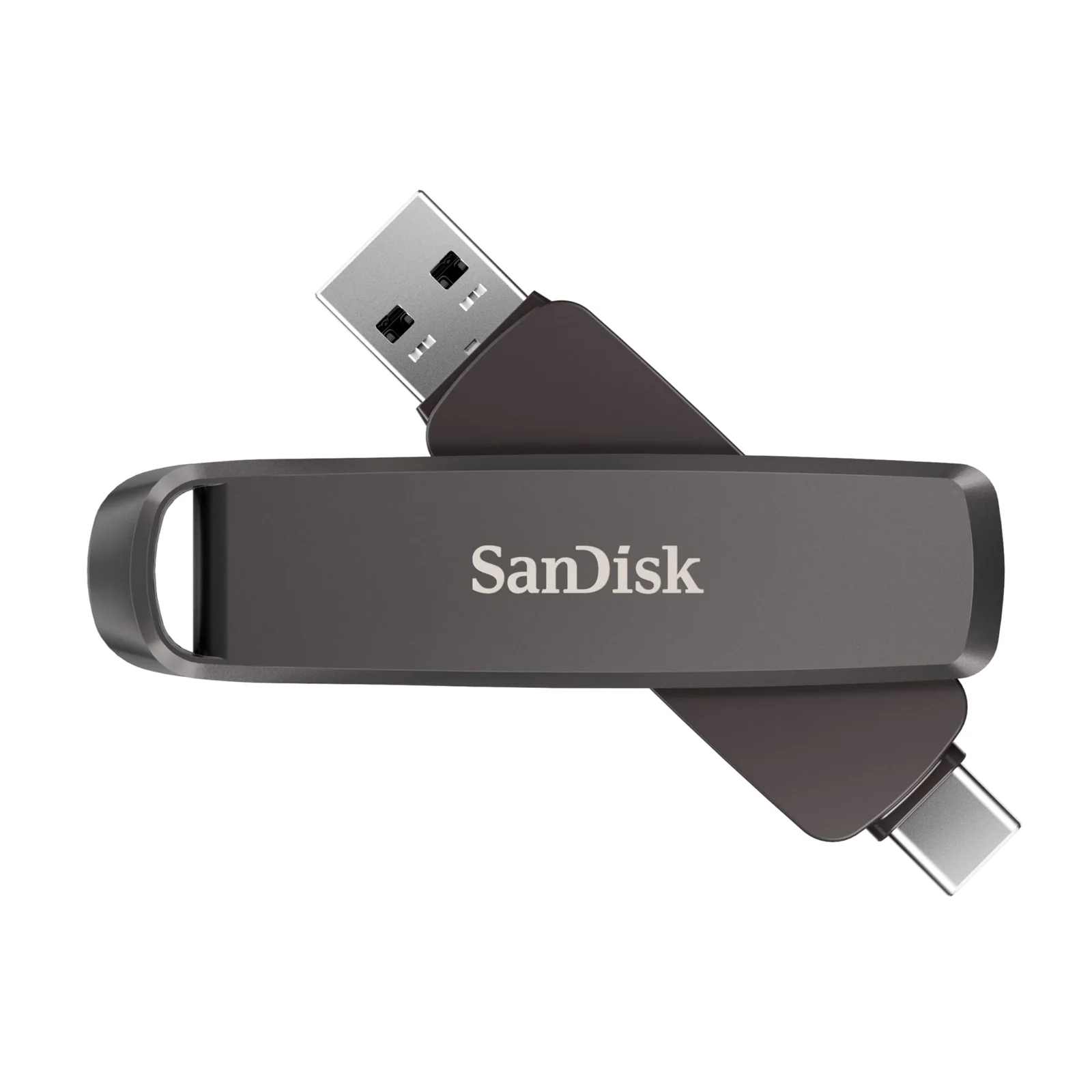
SanDisk · 1TB 1000MB/s dual drive (Extreme PRO)
Extreme PRO: big capacity, both plugs, no cap
Datasheet · from the SanDisk page
| Capacity | 1 TB |
|---|---|
| Connection | USB 3.2 Gen 2 |
| Read speed | 1000 megabytes_per_second |
| Works with | Laptops, tablets, smartphones |
| Size | 3.54"D x 0.8"W x 0.51"H |
| Model | SanDisk Extreme PRO USB Type-A and USB Type-C Flash Dual Drive |
| Weight | 22.68 g |
| Warranty (brand) | Lifetime Limited |
Works with / fits
Ports: USB-C, USB-A
Compatible devices (page): Laptops, tablets, smartphones
From the SanDisk product page
The Extreme PRO is 3.54 inches long, 0.8 wide and 0.51 high, with a listed weight of 22.68 grams. It is more than twice as long as the Ultra Luxe, and that is the point. One buyer said it is large, but that helps dissipate the heat during fast transfers.
A USB-C connector sits at one end and a USB-A connector at the other, and the drive uses USB 3.2 Gen 2. SanDisk quotes up to 1,000MB/s read and 900MB/s write and says the line goes up to 2TB. The product page lists a lifetime limited warranty, 128-bit AES encryption and a Memory Zone app for backup and file management.
Buyers keep returning to the two plugs. One wrote that you never have to worry about it not working with a particular device. Another said having both ports covers most setups.
Speed reports are good and a few are specific. One buyer said 25GB of movies took 40 seconds to copy to the drive and 26 seconds back to the laptop. Another found that with large files it gets close to the advertised speed.
Those are single buyers on their own machines, so treat the numbers as a ballpark.
one end is always exposed
The complaints are short. The first is the price, and the reviewers who mention it say it is worth it, one adding that it is a good buy when on sale.
The second is the exposed connectors. One reviewer took off a star because one end is always bare. Another bought silicone caps for both plugs and reported that they fit snugly and come off easily.
The product page also points to the Memory Zone app for automatic backup, file management and retrieval, and to encryption technology. It says the app and the encryption come with footnotes, so read those before you count on either.
This drive is also not tiny. A buyer who liked the size said it is small enough to carry without thinking, but not so small that it vanishes into a bag. If you want something that stays on a ring of keys, the Ultra Luxe is the better shape.
The reviews we read include 512GB, 1TB and 2TB versions of the same family, so the praise applies to the line, not only the size reviewed here. Buyers mostly describe backups, large media files and moving work between laptops and phones. About one in thirty-three gave it a single star, and nothing in the reviews describes the burning heat reported on the smaller drive.
What buyers wrote about the SanDisk 1TB Extreme PRO Dual Drive
5 out of 5 Fast!!!!
Fastest USB Drive on the market. With large files, the speed does get to almost the advertised speed. The dual USB-A and USB-C makes this thing super convenience. You never have to worry about it not working with a particular device. It is large but that helps dissipate the heat during fast transfer. It's beefy and durable
4 out of 5 Great storage
I like how much this holds and being able to work in my USB-A and C ports is a nice feature. Seems to copy to/from fast. Feels solid quality. Knocking off a star because it actually bugs me more than I expected that one end is always exposed. Almost feel like I need some plastic caps for bare the C and A ends when it's not in use. 4.5 stars if I could.
Ultra Luxe vs Extreme PRO: what actually separates them
| Spec | SanDisk 128GB Ultra Luxe USB-A | SanDisk 1TB Extreme PRO Dual Drive | Also reviewed · SanDiskSanDisk Cruzer Blade 32GB USB 2.0 | Also reviewed · SanDiskSanDisk Cruzer Blade 8GB 10-Pack |
|---|---|---|---|---|
| Price | $28.36 | $259.99 | $9.95 | $97.57 |
| Rating | 4.5 of 5 | 4.6 of 5 | 4.6 of 5 | 4.7 of 5 |
| Ratings | 887 | 1,353 | 244,491 | 1,521 |
| Capacity | 128 GB | 1 TB | 32 GB | 8 GB |
| Connection | USB 3.2 Gen 1 | USB 3.2 Gen 2 | USB 2.0 | USB 2.0 |
| Read speed | 400 megabytes_per_second | 1000 megabytes_per_second | 70 megabytes_per_second | 1 megabytes_per_second |
| Weight | 9.07 g | 22.68 g | 4.54 g | 3 g |
| Count | 1 | 1 Count | 1 count | 10 Count |
| Best for | a keychain drive that carries documents, photos and music between PCs | backups and large project files moved between USB-C and USB-A machines | documents, photos and a spare drive in a key ring pocket | handing out files to a class, team or event |
Start with the plug. The Ultra Luxe has a single USB-A connector. The Extreme PRO has USB-C and USB-A, so it follows you between a modern laptop and a desktop without an adapter.
Next comes speed. SanDisk rates the Ultra Luxe at up to 400MB/s read, and a reviewer notes that write speed seems slow.
The Extreme PRO is rated at up to 1,000MB/s read and 900MB/s write, and the one buyer who timed a large folder saw quick copies in both directions. For a big job, the Extreme PRO has the clear edge.
Size and shape go the other way. The Ultra Luxe is short and light, with a hole built into the metal for a keychain. The Extreme PRO is longer and heavier, and it has no cap for either plug.
Heat is the real split in the reviews. Several buyers describe the Ultra Luxe getting hot in minutes, while a buyer of the Extreme PRO credits its larger body for dissipating heat. That is one buyer's opinion, not a rule, but it fits the pattern.
Finally, capacity and warranty. The model here carries 128GB against 1TB, and the brand's page lists a 5 year warranty for the first and a lifetime limited warranty for the second. Check the exact terms before you rely on either.
Our pick for most buyers is the Extreme PRO, if the budget allows. Choose the Ultra Luxe only when pocket size matters more than long transfers.
When a different kind of storage is the better call
A basic USB 2.0 drive like the Cruzer Blade 32GB is the better choice when you only carry a few documents and want the smallest, simplest stick. SanDisk lists it as USB 2.0, and a text file does not need more.
If you need a few drives for a classroom, office or event, a multi-pack such as the 8GB Cruzer Blade 10 pack makes more sense than one fast drive. Handing out a drive you may never see again is a job for something cheap.
If you want a USB 3.0 everyday drive with less capacity, the Ultra 32GB USB 3.0 is a simpler option. It is the pick when a small drive for everyday files is enough.
For a phone, think about the port first. The Ultra USB-C 64GB is a USB-C-only drive, and the Dual Drive Go adds a USB-A plug.
SanDisk rates both at up to 150MB/s read. An Android phone with a micro-USB port needs the Ultra Dual Drive m3.0, and an iPhone 14 or older needs the iXpand Go.
A flash drive is also not a solid-state drive. One buyer made that point directly, and they are right: the form is a thumb drive. If you move video projects every day, a portable SSD is a separate category worth a look.
Cloud storage wins when the files must follow you without a physical object. One parent noted that most school work is submitted online now, yet still wanted the drive as a backup copy.
What buyers say about the two drives
SanDisk 128GB Ultra Luxe USB-A
4.5 (887 ratings)SanDisk 1TB Extreme PRO Dual Drive
4.6 (1,353 ratings)Buyers rate both drives highly. For the Ultra Luxe, eight in ten ratings are five stars, and about one in twenty is a single star. The Extreme PRO runs slightly higher, with 81 percent giving five stars and about three percent giving one.
For the Ultra Luxe, the praise is about size and looks. Buyers call it tiny, good-looking and solidly built, and several like the keychain hole. The criticism is nearly all heat, with a few remarks on slow writes when two copy jobs overlap.
One buyer's remark deserves attention. They said it gets hot but still works and cools down quickly. That softens the heat worry a little, but it does not erase the three star reviewer who said it throttles the speed after five minutes.
For the Extreme PRO, the praise is about speed, capacity, the build and the two plugs. The words buyers use most are fast, solid and convenient. The complaints are short: it is expensive, and one end is always exposed.
Nobody in the Extreme PRO reviews reports the burning heat described for the Ultra Luxe.
Both sets of reviews include buyers who bought a different size in the same family. We counted those as reviews of the line and kept that in mind when judging each drive.
since the hole is in the metal body of the drive itself that means no tiny metal ring or plastic tab to break off
Transfer a full-length movie to the drive in less than 30 seconds
Ratings, star breakdowns and “bought in past month” figures were read on the product pages on November 16, 2026.
How to get steady speed and keep the drive safe
These steps come from the brand's page and from what buyers report. They are habits, not guarantees, and the manual is the last word on your drive.
Use a USB 3.0 or newer port. The Ultra Luxe page says a USB 3.0 port is required for the speed it quotes, and one buyer found that writes on USB 3.0 were close to unusable for large files.
The brand also says its figures are based on internal testing and vary with the host device and the capacity. So a slower result on an older laptop does not mean the drive is faulty, but a drive that stays slow on every port is worth a call to SanDisk about the warranty.
Keep a second copy of anything you cannot replace. One parent uses the Ultra Luxe for exactly that, as a backup copy of homework files.
- Plug the drive into a USB 3.0 or newer port, the one the brand says it needs.
- For the Ultra Luxe, download the password software from SanDisk's Password Protection page.
- Set a password on the Ultra Luxe if the files are private, on Windows 10 or later, or macOS 10.9 or later.
- Copy one batch at a time, because one reviewer saw overlapping jobs run about ten times slower.
- Unplug the Ultra Luxe when the copy ends, since buyers report it gets hot while plugged in.
- Fit snug silicone caps over the Extreme PRO's connectors if the bare ends bother you, as one buyer did.
Our verdict on the two SanDisk drives
Recommended, with caveatsSanDisk 128GB Ultra Luxe USB-A
A compact, solid-feeling drive that buyers like, but several report it gets hot in the port, so keep transfers short.
Power Up on AmazonWe recommendSanDisk 1TB Extreme PRO Dual Drive
Buyers praise the speed, the build and the two plugs, and the main complaints are the price and the exposed ends.
Power Up on AmazonWe recommend the Extreme PRO Dual Drive to anyone who moves large files, keeps backups, or swaps between a USB-C laptop and a USB-A desktop. The reviews are consistently positive, the speed figures back it up, and the lifetime limited warranty on the product page is a plus. Its flaws are the price and the open connectors, and both are things you can plan around.
We do not recommend it if you only carry a few documents. The extra size and cost buy you nothing there.
The Ultra Luxe earns a conditional rating. It is compact, solid and well liked, and the keychain hole is a smart touch. But heat shows up in too many reviews to ignore, and one buyer feared it had harmed a computer port.
We would pick the Ultra Luxe only for short jobs and light carrying, and we would keep transfers brief. We don't recommend it if you plan to copy large files for minutes at a time, or if you have only USB-C ports and no adapter.
So the choice comes down to the job. Big, regular transfers: the Extreme PRO. A drive that lives on your keys and moves a few files: the Ultra Luxe, with a watchful eye on the temperature.
Questions buyers ask
Which is better for large files, Ultra Luxe or Extreme PRO?
The Extreme PRO is better for large files. SanDisk rates it at up to 1,000MB/s read and 900MB/s write, against up to 400MB/s read for the Ultra Luxe. One buyer reported a 25GB folder copying to it in 40 seconds, while Ultra Luxe buyers describe slow writes.
Does the SanDisk Ultra Luxe get hot?
Many buyers say yes. Several Ultra Luxe reviewers report it getting hot within minutes in the port, and one compared it to a boiling kettle. Another said it cools down quickly and still works. SanDisk's page does not address temperature, so keep transfers short and unplug it when done.
Is the Extreme PRO good for a phone and a laptop?
Yes, for devices with USB-C or USB-A ports. The Extreme PRO has both connectors, and SanDisk lists laptops, tablets and smartphones as compatible. The brand's own copy talks about moving files between USB Type-C and Type-A devices. Buyers like having a single drive for both.
Is the Ultra Luxe a good keychain drive?
It is a good one if you carry light files. The Ultra Luxe weighs 9.07 grams and has a keychain hole built into the metal body, which a US buyer liked. Its main drawback is heat during long transfers, so it suits short jobs better.
Does the SanDisk Ultra Luxe have password protection?
Yes, through software you download. SanDisk says it uses 128-bit AES encryption and works on Windows 10 and later and macOS 10.9 and later. You need the software download from the brand's Password Protection page, so install it before you copy private files.
How do I protect the Extreme PRO's connectors?
The Extreme PRO has no cap, and its two plugs stay bare. One buyer bought separate silicone caps for the Type-A and Type-C ends and said they fit snugly and come off easily. That is a buyer's fix, not an accessory SanDisk sells with the drive.
Same circuit
More storage and nearby reviews
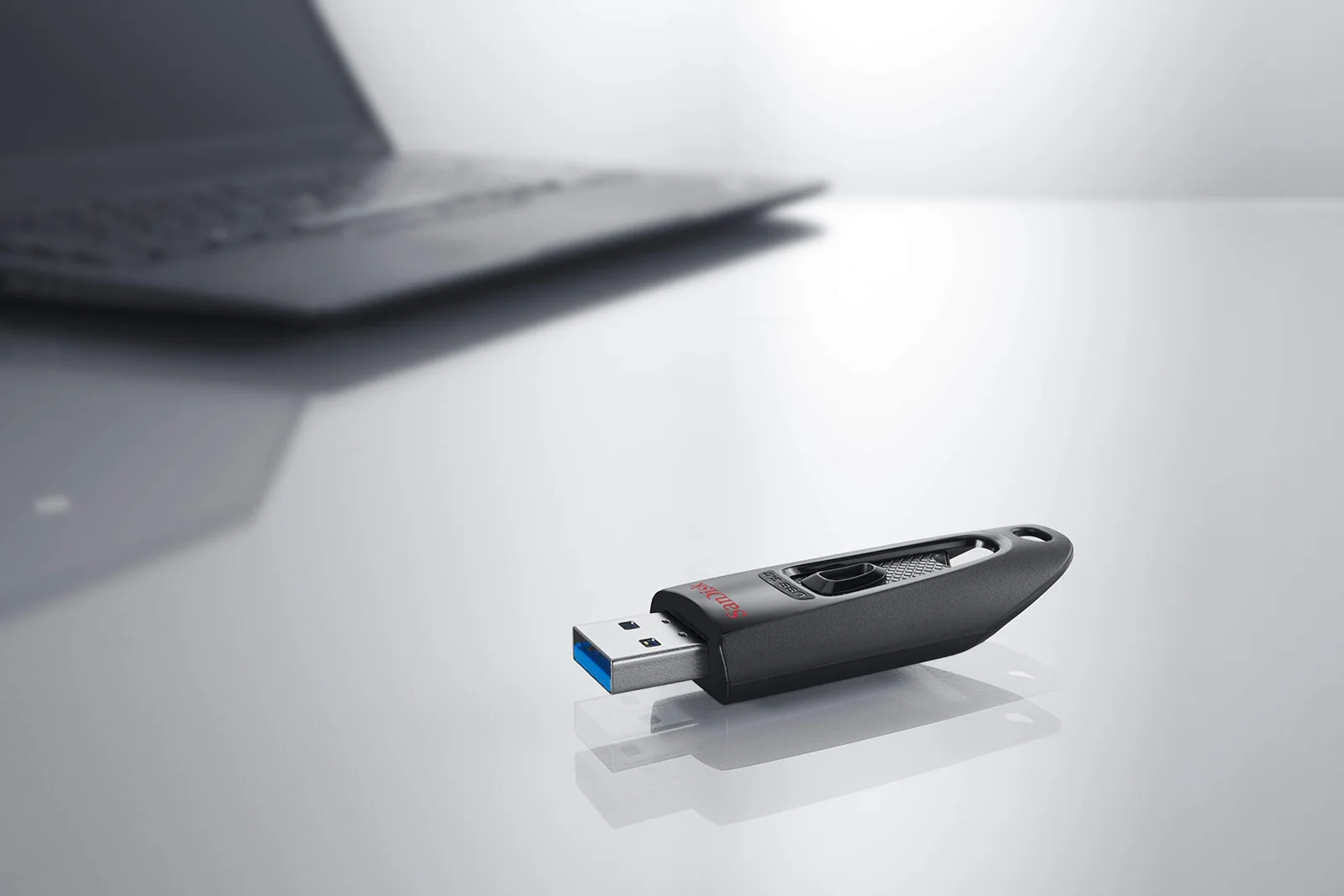
SanDisk Cruzer Blade, Ultra and Ultra Fit Flash Drives Reviewed
Four SanDisk sticks for everyday file carrying, sorted by speed, size and the one situation where a tiny drive caused trouble.
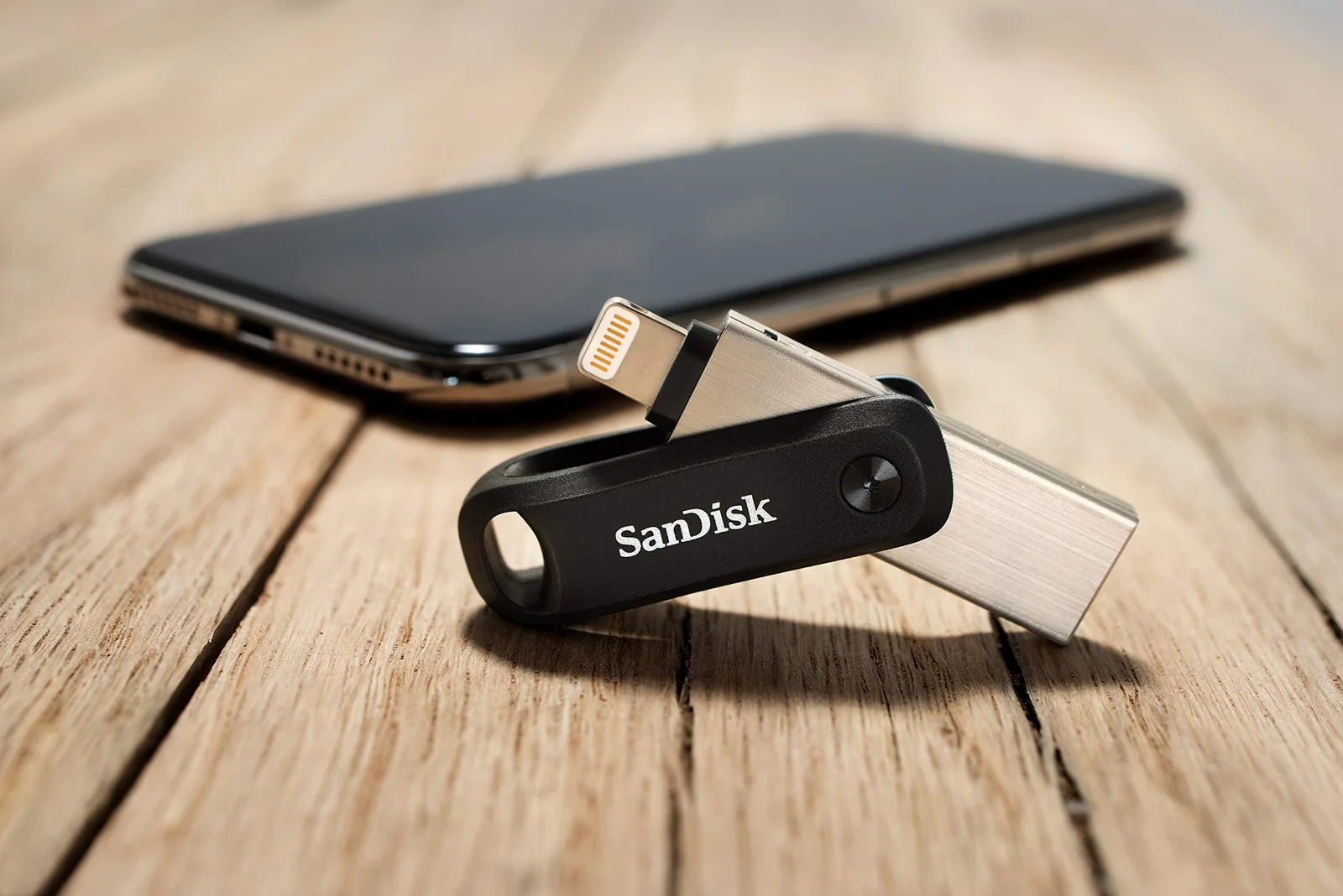
SanDisk Phone Flash Drives: USB-C, Lightning and micro-USB Reviewed
A phone drive only helps if the plug matches your phone, so we sorted four SanDisk models by port and by what buyers say goes wrong.
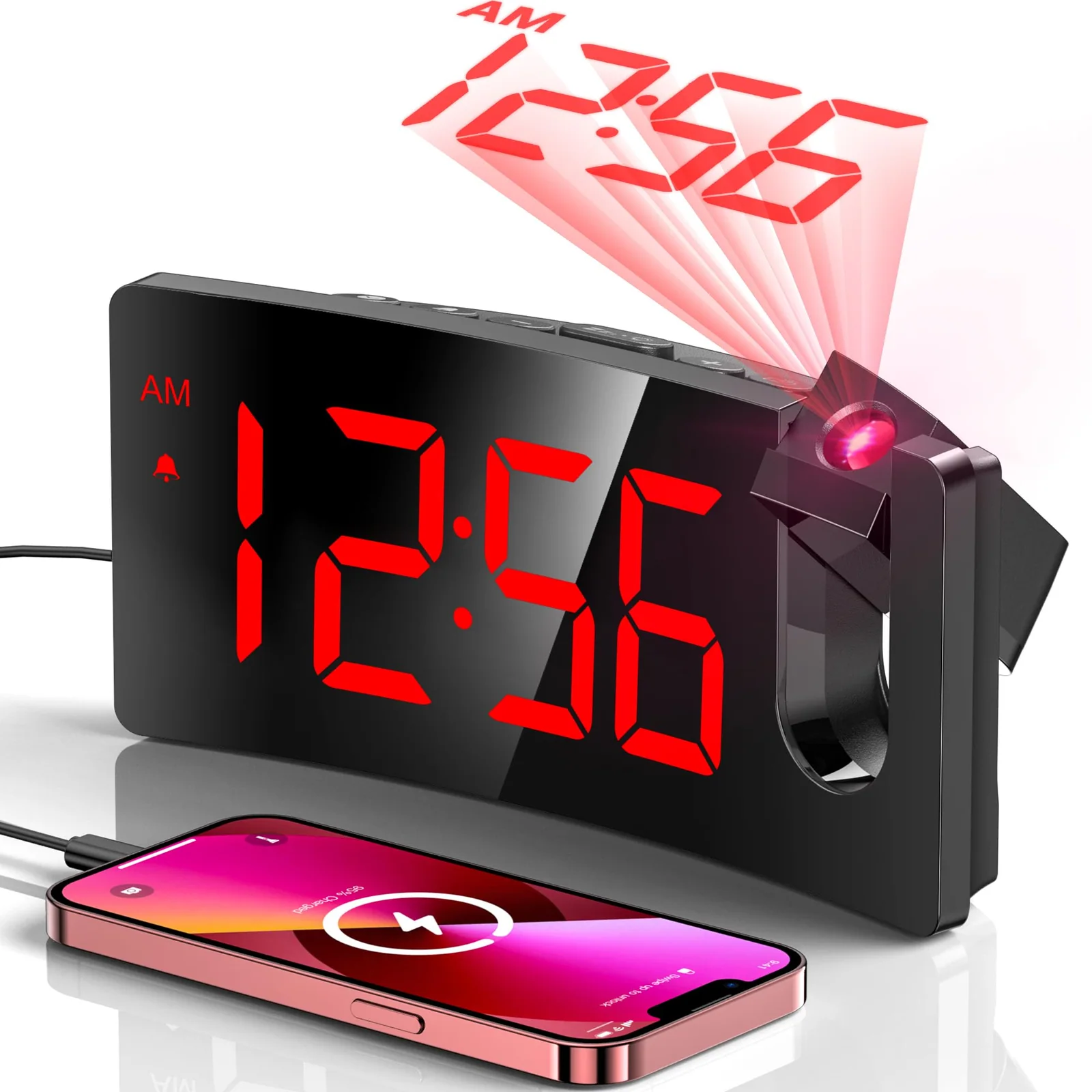
Projection vs Bedside Alarm Clock: Two GOLOZA Clocks Compared
One clock puts the time on your ceiling, the other makes the digits huge, and the right pick depends on your eyes and your room.