Review 051 · USB Flash Drives
SanDisk Phone Flash Drives: USB-C, Lightning and micro-USB Reviewed
A phone drive only helps if the plug matches your phone, so we sorted four SanDisk models by port and by what buyers say goes wrong.
 Storage · buyer's guide
At a glance
-
We recommend
SanDisk Ultra USB-C Flash Drive
- Best for a USB-C phone and laptop owner who wants the slimmest drive.
- Skip it if you need a USB-A plug for older computers.
4.4 (3,591 ratings)$19.99Power Up on Amazon -
We recommend
SanDisk Ultra Dual Drive Go USB-C
- Best for moving files between a USB-C phone and a USB-A computer.
- Skip it if you copy huge files often and need fast writes.
4.5 (39,882 ratings)$24.95Power Up on Amazon -
Recommended, with caveats
SanDisk Ultra Dual Drive m3.0 microUSB
- Best for an older Android phone or camera with a micro-USB port.
- Skip it if your phone has USB-C or you dislike fiddly sliders.
4.3 (34,671 ratings)$19.99Power Up on Amazon -
Recommended, with caveats
SanDisk iXpand Flash Drive Go 64GB
- Best for an iPhone 14 or older that is out of space.
- Skip it if your iPhone has a USB-C port.
4.4 (25,425 ratings)$32.44Power Up on Amazon
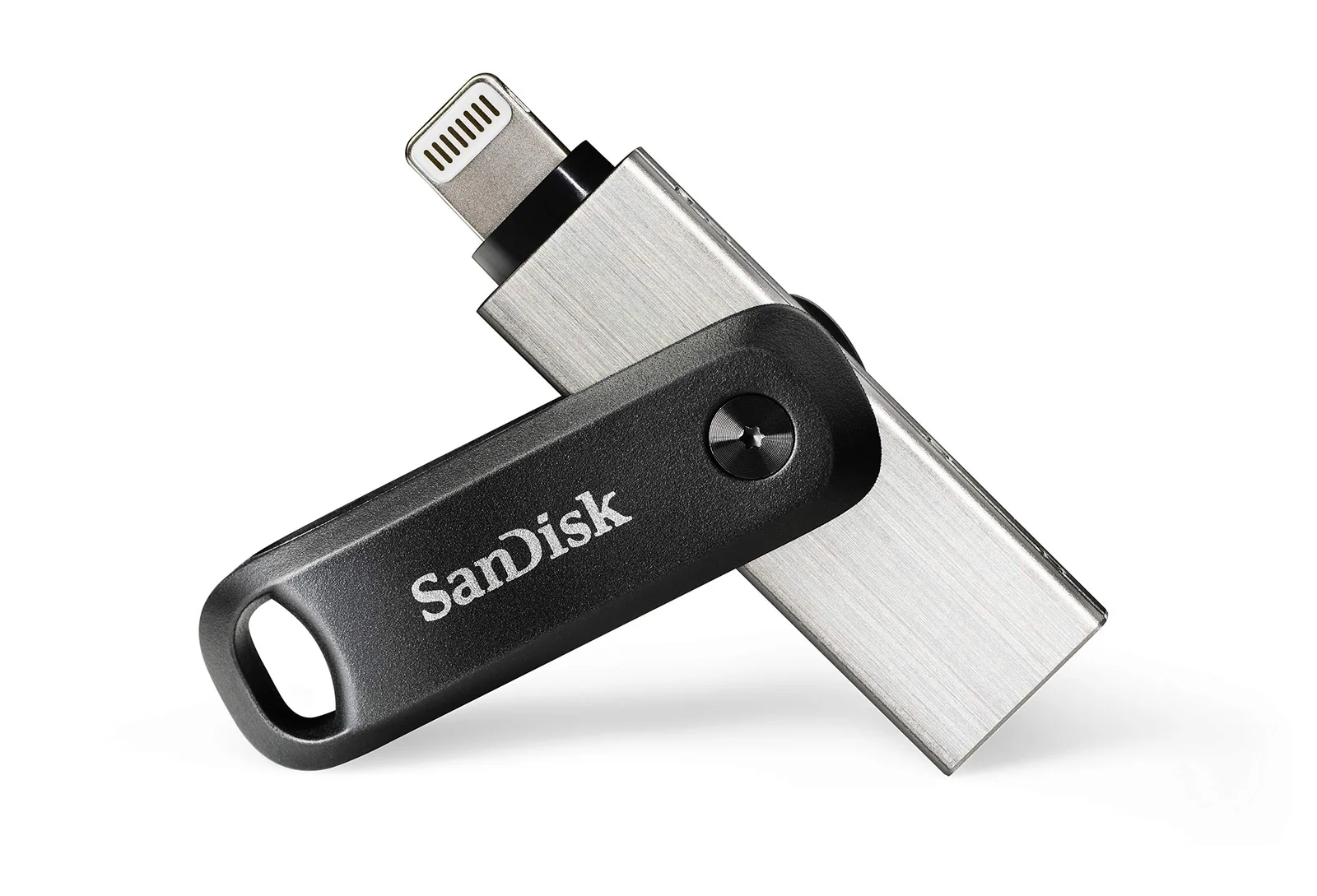
When your phone says storage is full
The camera roll holds thousands of photos, the phone says storage is full, and you are two hours from the hotel with a wedding still to film. Cloud backup crawls on weak Wi-Fi. Deleting old pictures feels like the wrong trade.
A small drive that plugs straight into the phone is the old, dull answer, and it still works.
The catch is the plug. A drive that fits one phone port is dead weight on another, and the product pages tuck that rule into small print. Buyers who skip the fine print write most of the angry reviews.
Four SanDisk drives cover the ground here, each built around a different port. The Ultra USB-C is a single-plug drive for USB-C phones and tablets. The Ultra Dual Drive Go adds a USB-A plug on the other end, so one stick moves files between a phone and an older computer.
The Ultra Dual Drive m3.0 does the same job for Android devices with a micro-USB port. The iXpand Go is a Lightning drive for the iPhone 14 and older. If you are not sure which port your phone has, look at the charging cable you use every night before you read further.
Three of the four pages rate reads at up to 150MB/s, and the iXpand Go page lists 45MB/s. Write speeds are lower on all of them.
None of these is built for editing video straight off the stick. You can pick the right one by answering two questions: which port does your phone have, and which complaints can you live with?
SanDisk · USB-C only flash drive
Ultra USB-C: one plug, one job
Datasheet · from the SanDisk page
| Capacity | 64 GB |
|---|---|
| Connection | USB 3.0 |
| Read speed | 150 megabytes_per_second |
| Works with | iPhone 13 Plus/Pro/Max, Samsung Galaxy S21, Google Pixel 6, OnePlus 9 Pro, LG V60 ThinQ, Asus ROG Phone 5, Sony Xperia 1 III, Oppo Find… |
| Model | SDCZ460064GG46 |
| Weight | 4.3 g |
| Warranty (brand) | 5-year limited manufacturer warranty |
Works with / fits
Ports: USB-C
Compatible devices (page): Mobile, Tablet
From the SanDisk product page
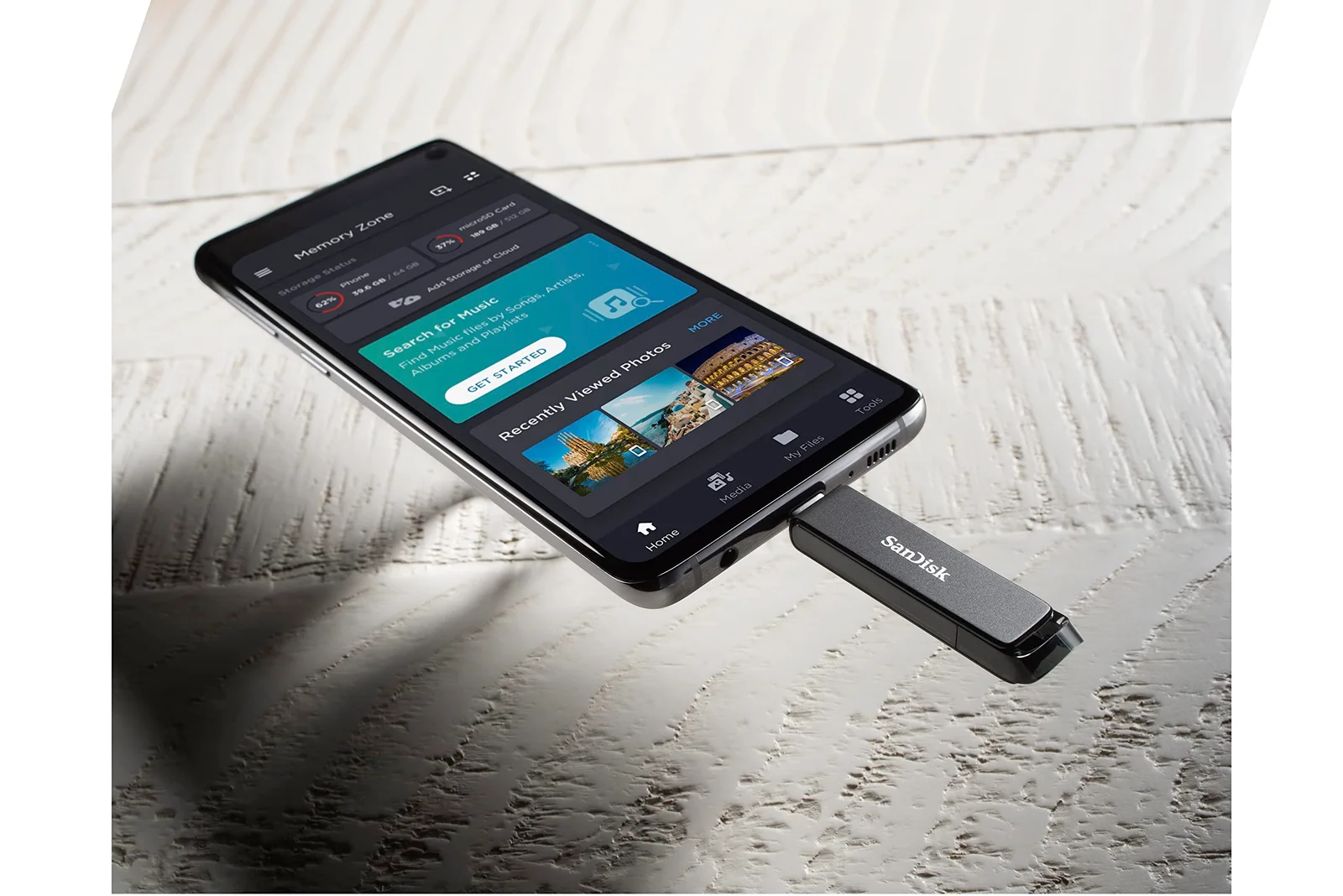
The Ultra USB-C is the plainest drive in the group. It has a single USB-C connector on a slim plastic body that weighs 4.3 grams, and the connector slides out of a retractable case.
SanDisk says it is a USB 3.1 Gen 1 drive for computers, phones and tablets with a USB-C port. A phone or tablet needs On-The-Go support to talk to it.
SanDisk rates reads at up to 150MB/s and says writes are lower and vary by capacity. It claims a full-length movie can copy over in under 30 seconds, based on a 1.2GB video moved from a USB 3 host.
One reviewer put a 700MB file on a 32GB version in 20 seconds. They say a Lexar drive bought two weeks earlier needed 53 seconds.
Another reviewer wrote that the stick moves entire movies in seconds. Those are single reports, not a promise, and SanDisk says results depend on the host device.
The brand also lists extras. SecureAccess software adds password protection with 128-bit AES encryption on Windows 7, 8 and 10 and on macOS 10.9 or newer. Mac users have to download it.
The Memory Zone app backs up files on an Android phone or tablet, and RescuePRO Deluxe recovery software needs a download and registration. The warranty is five years, limited.
Right out of the packaging, it extends but won’t retract
Sliding hardware is where buyers push back. One reviewer fights the Type-C connector out of its case every time. They only use the drive on vacations, so they have to relearn the knack on each trip.
A second reviewer says the cover is the one thing they would change.
The sharpest report says the connector extended right out of the packaging and would not retract. That buyer also found the materials cheap, and gave three stars while saying it could be two.
On the plus side, a Canadian reviewer says the drive survived a trip through the washer and the dryer in a pocket and still works. They add that they would not suggest trying it, and we agree that it is luck, not a feature.
Another buyer likes the sliding cover better than a flip cap and carries the stick on a keychain through the built-in loop. They admit the body is plastic, not metal. A third uses the 32GB size for a car infotainment system.
This drive suits anyone whose phone, tablet and laptop all use USB-C and who wants a light stick for photos and movies. Look elsewhere if you also plug into older computers with a USB-A port, since there is no second connector. Look elsewhere too if you move big video folders every week, because writes are slower than the read figure on the box.
What buyers wrote about the SanDisk Ultra USB-C Flash Drive
3 out of 5 Connector extended the first time now won’t retract
Seems to work, but the USBC connector is supposed to retract and extend. Right out of the packaging, it extends but won’t retract, so it will have to be like that permanently I guess. Seems to use very cheap materials for the construction. Could be a 2 star rating as well….
SanDisk · dual USB-C and USB-A drive (Dual Drive Go)
Dual Drive Go: the one that fits both ends
Datasheet · from the SanDisk page
| Capacity | 128 GB |
|---|---|
| Connection | USB 3.1 Type A, USB Type C |
| Read speed | 400 megabytes_per_second |
| Works with | Mobile, Tablet |
| Size | 0.34"D x 0.48"W x 1.75"H |
| Model | Dual Drive Go USB Type C |
| Weight | 3.7 g |
| Warranty (brand) | 5 year limited manufacturer |
Works with / fits
Ports: USB-C, USB-A
Compatible devices (page): Mobile, Tablet
From the SanDisk product page
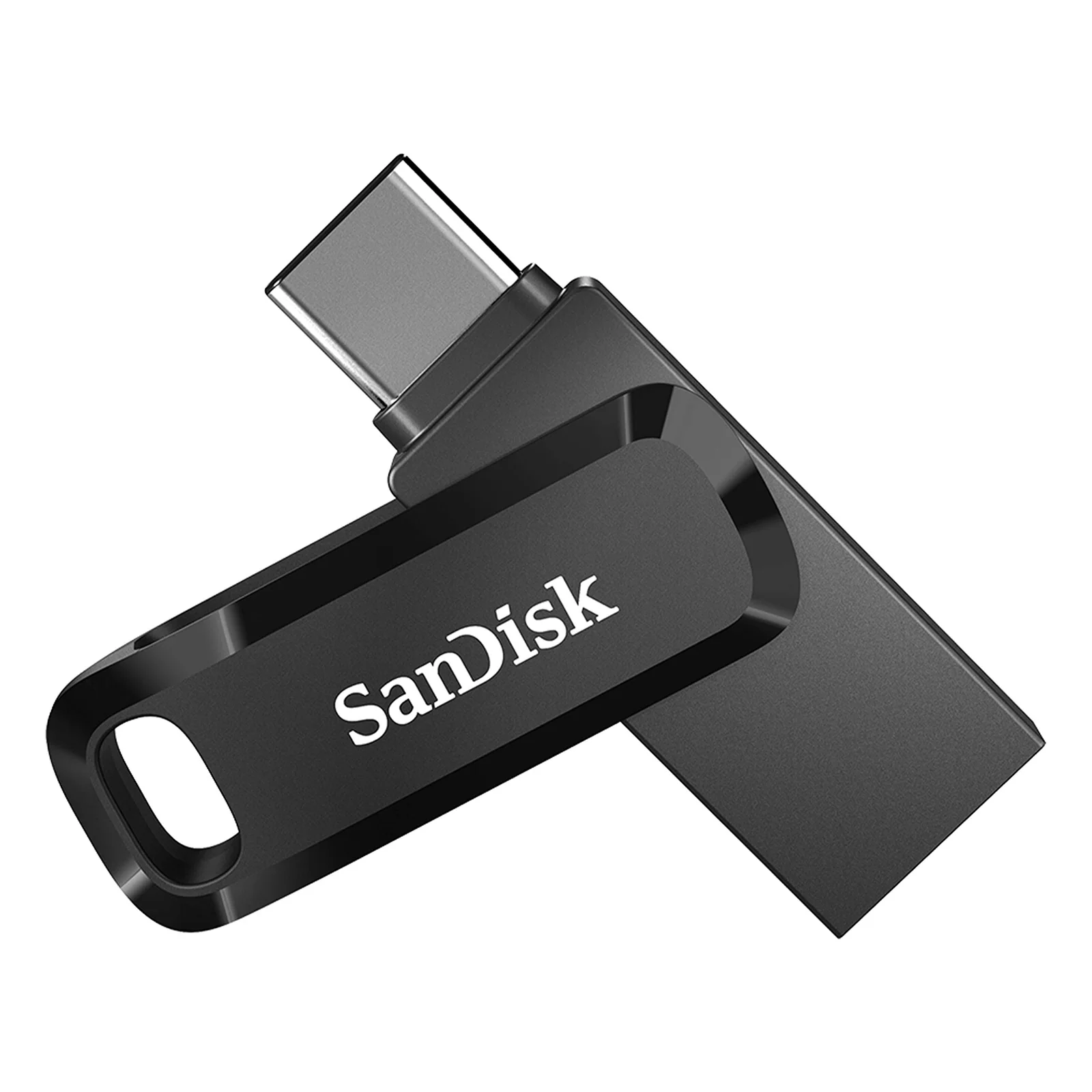
The Ultra Dual Drive Go is the most popular drive in this group, with 39,882 ratings. It puts a reversible USB-C connector on one end and a regular USB-A connector on the other.
A swivel cover turns to protect whichever end you are not using. The body measures 0.34 by 0.48 by 1.75 inches and weighs 3.7 grams.
SanDisk rates reads at up to 150MB/s and says write speed is lower and varies by capacity. The phone side needs a USB-C port with On-The-Go support. The brand sends buyers to the SanDisk website for a list of compatible devices.
SanDisk also points to the Memory Zone app for backing up photos, which needs a download. One reviewer, though, says the drive worked from the phone with nothing to install. They plugged it in and picked the photos to save.
The most useful review comes from a buyer who benchmarked the drive. They report that it beat the 150MB/s read figure but wrote at about 50MBps. They add that it gets hot during big transfers, as they expect any tiny USB 3 stick to do.
That reviewer likes the swivel cover, which clicks into place over either connector. It cannot cover both at once.
They also name the SanDisk Extreme PRO as the drive to look at for top speed. Our take: read speed decides how fast files open, but write speed decides how long a backup takes, and this drive is middling on writes.
Met and surpassed the read speed of 150MBps, but only had a write speed of ~50MBps.
Buyers describe real uses. One moves files between a MacBook, a PC and an Android phone with no adapters. Another keeps PS5 game saves and photos on it but says it did not work for modding a Nintendo Wii.
A buyer who plugged it into an iPhone first saw nothing happen. Two support agents later learned that a recent iOS change had stopped the usual plug and play behavior.
They then showed the buyer another way to use it. That is one reviewer's story, not a SanDisk instruction, so check the compatibility list before you count on it.
The failure reports are few but specific. One German buyer says the stick worked for two or three minutes and then vanished from Windows. They suspect it was a refurbished unit.
About one buyer in twenty gave it a single star.
This drive suits someone with a USB-C phone and a USB-A desktop at work or school, who wants one stick instead of an adapter in a bag. Skip it if you routinely copy folders of large video files. The write speed one reviewer measured would make that slow.
Skip it too if you want the connector hidden at all times, because the cover protects only one side at a time.
What buyers wrote about the SanDisk Ultra Dual Drive Go USB-C
5 out of 5 Fast reads, Decent write, well built
(Apologies for Anime themed benchmark, it's the industry standard) The drive clocks in with respectable speeds. Met and surpassed the read speed of 150MBps, but only had a write speed of ~50MBps. This is documented, but you should be aware of it, as it's just as important if not more important than the read speed. During big file transfers, it gets hot. All tiny USB3 flash drives like this do, so it's not something really surprising, but again, something to keep in mind. The drive itself is nicely built. The colored version I bought is really pretty, and matches the lilac that the Galaxy Buds2 Pro also have, if you care about the color match between your USB drive and your TWS earphones for some reason. There's a nice tactile detent in the cover that locks it straight to cover either the USB C side or the USB A side. I wish there was a way for both to be covered, but…
SanDisk · micro-USB and USB-A drive for Android
Dual Drive m3.0: for micro-USB only
Datasheet · from the SanDisk page
| Capacity | 32 GB |
|---|---|
| Connection | USB 3.0 |
| Read speed | 150 |
| Works with | Google Play |
| Model | SanDisk Ultra 32GB Dual Drive m3.0 for Android Devices and Computers (SDDD3 |
| Weight | 4.5 g |
| Warranty (brand) | 5 Year |
Works with / fits
Ports: micro-USB, USB Type-A, USB 3.0
Compatible devices (page): Mobile
From the SanDisk product page
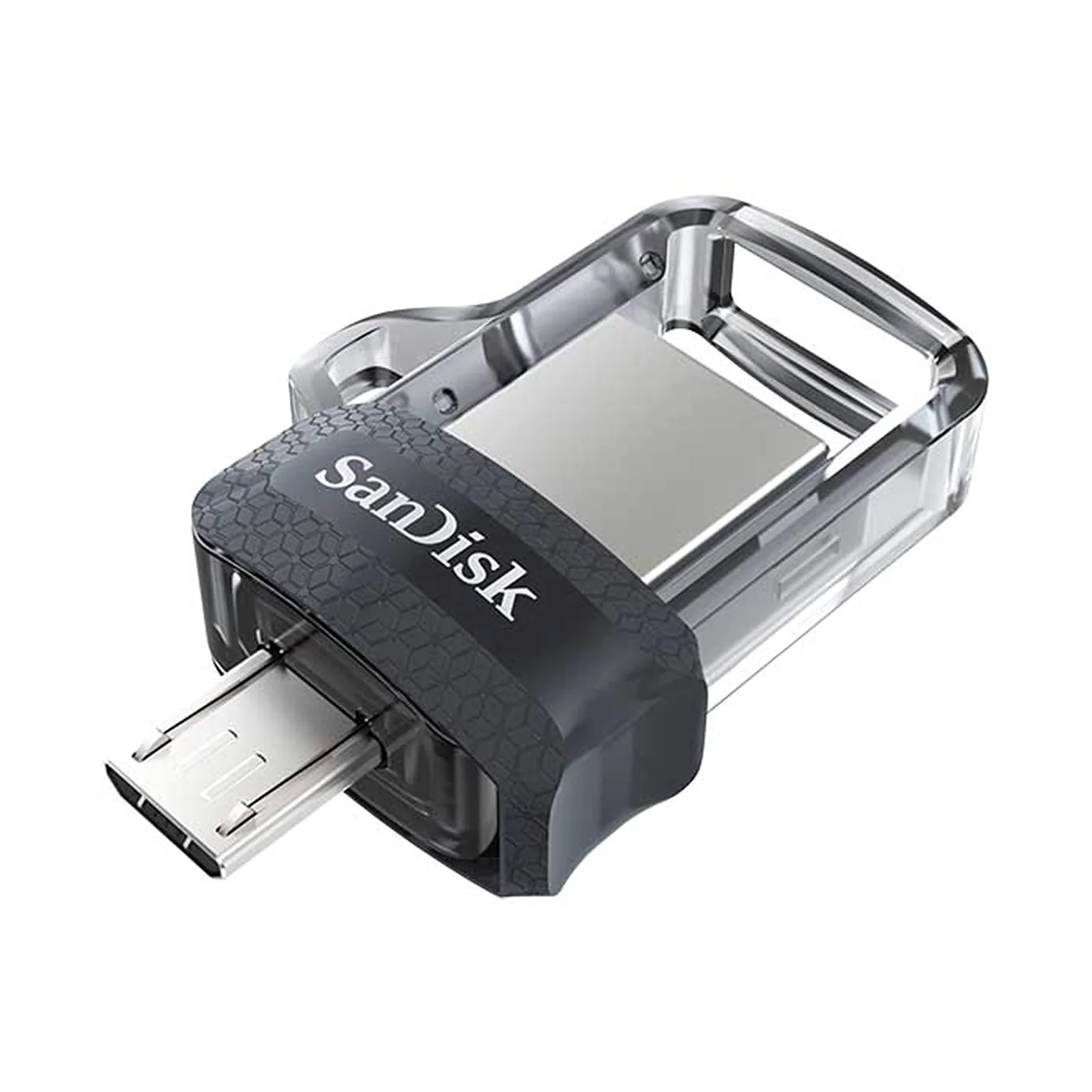
The Ultra Dual Drive m3.0 is a retractable stick with a micro-USB connector on one side and a USB 3.0 connector on the other. It is built for Android devices that still have a micro-USB port, and SanDisk says the phone needs On-The-Go support.
SanDisk rates reads at up to 150MB/s. The spec sheet lists writes at up to 60MB/s and notes that writes are lower and vary by capacity. The body weighs 4.5 grams, and the brand lists Memory Zone app compatibility.
The biggest complaint is not about speed. It is about fit.
One reviewer says the product page never named the phones it works with. They bought a newer version, found that it did not fit either, and sent both back.
SanDisk sends buyers to its website for a compatibility check, and that reviewer says it was no more help than the ad. Check the port on your phone or camera before you buy, and confirm it supports On-The-Go.
The slider is the second complaint. A reviewer with nimble hands calls the switch between the connectors finicky, especially in tight spaces. They say it would be worse for bigger hands.
Another reviewer's unit got stuck whenever they pushed the button toward the USB-A end. They suspect an alignment fault and planned to fix it with a file.
A third says the switch could have been designed better and would help if it locked into place. The same buyer finds it hard to seat the plug fully in a Galaxy S5.
Heat and dead connectors show up too. One three-star review reports a unit that ran warm whenever it was plugged in, with a micro-USB side that arrived dead.
The replacement lost the same connector within days. A one-star review also names poor write speeds, the need for an app, micro-USB trouble and heat.
Others had no trouble. One buyer moved more than 100GB onto it with no overheating, used it with Windows, Linux and Android 11, and formatted it as exFAT, FAT32 and NTFS. Another says it reads as a true 128GB drive, around 114GB formatted, and keeps it tethered to a phone.
A camera owner ties it to a 3D camera for quick transfers, although the plastic frame around the USB side cracked on that unit.
We recommend it only for a device with micro-USB, and only if a slider that can stick is acceptable. If your phone takes USB-C, the Dual Drive Go is the better fit. Skip it if you want fast writes, a cool-running drive, or no surprises on arrival.
What buyers wrote about the SanDisk Ultra Dual Drive m3.0 microUSB
3 out of 5 Good idea, poor execution of design and defective item twice and amazon screwed the pooch
1st one arrived.. , micro UBS connector didn't work.. but thankfully USB A side did. Runs quite warm when plugged in regardless of what its plugged into and even if its not actively xfering any data the slide back/forth for selection of which USB connector to use is finicky.. esp in tighter spaces and I have nimble hands. It would be a nightmare for any guy with bigger hands for example! Speeds are.. well ok.. nothing blistering by any means.. but better than USB 2 only. That said do NOT expect speeds like the Samsung Bar 3.1 or Sandisk Extreme etc not a chance in hell that will happen. As for Amazon screwing the pooch, ordered this to connect to my phone on road trip as extra space which I suspected I'd need. 1st arrived defective as mentioned. Amazon couldn't get replacement to me fast enough before I was leaving due their policies. So it got left to deal with when…
SanDisk · Lightning drive for iPhone (iXpand Go)
Lightning for older iPhones: the iXpand Go
Datasheet · from the SanDisk page
| Capacity | 64 GB |
|---|---|
| Connection | USB 3.0 |
| Read speed | 45 megabytes_per_second |
| Works with | iPhone 5, 5c, 5s, 6, 6 Plus, 6s, 6s SE, 7, 7 8, 8 X, Xs, Xs Max, XR, iPad Air, mini, mini 4, Pro, with Retina display, iPod 5th… |
| Model | iXpand Flash Drive Go |
| Weight | 7 g |
| Warranty (brand) | 2-Year Manufacturer Warranty |
Works with / fits
Phones: iPhone 14 or older
From the SanDisk product page
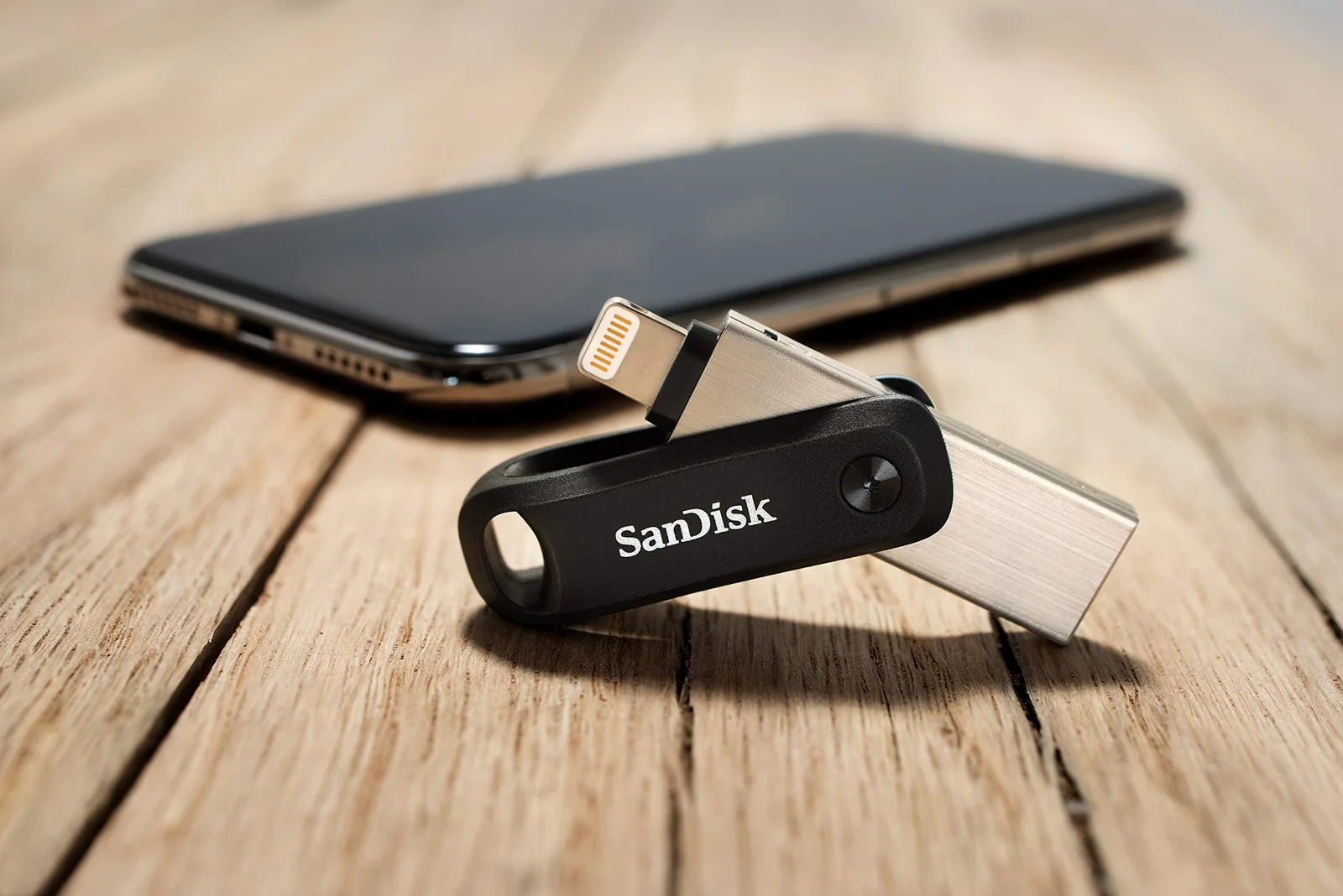
The iXpand Flash Drive Go has a Lightning connector for the phone and a USB 3.0 connector for a computer. One swivel body protects both and has a keyring hole.
SanDisk says it is for the iPhone 14 or older. Its compatibility list runs from the iPhone 5 through the XR and several iPad models.
The 64GB size weighs 7 grams. The spec sheet lists a read speed of 45MB/s and writes between 30 and 40MB/s, and it calls the drive dust proof. The warranty is two years, shorter than on the other three drives.
SanDisk says the old iXpand app has been replaced by the Memory Zone app, which is on the App Store. The app backs up photos and videos, moves content from the drive to a computer, and can password-protect files across iPhone, PC and Mac. Buyers describe the flow as plug in, accept the app download and let it run.
One reviewer left a 12 Pro Max with more than 8,000 photos running overnight and had space back by morning. Another says 11,500 photos and videos copied in 45 minutes. They had expected a cloud backup of that size to take up to 12 hours.
A third moved about 59GB in roughly three hours and watched the battery drop 45 percent. That buyer says the phone stayed cool and they did not need to switch off wireless.
One reviewer's wife has a 16GB iPhone and films horse events through the app. At home she plugs the stick into a MacBook and imports the clips.
you can't charge your iPhone while this device is plugged in because the socket you'd normally charge through is occupied
Now the drawbacks, and there are several. A reviewer points out that you cannot charge the iPhone while the drive is plugged in, because the Lightning socket is occupied. Charge before a long copy.
Another says the drive sticks out of the phone but did not interfere with holding it, and you will want to unplug it after each use.
One buyer found that transferred files had long names ending in photo, plus some JPEG files that would not open. They had already deleted the originals. Another reports an error message when uploading, and an app preview whose audio keeps playing.
Then there are the failures. One angry one-star review says three drives failed, one for the reviewer, one for a boyfriend and one a client gave as a gift. Support only suggested adding a few pictures at a time.
About one buyer in eleven gave it one star or two. A reviewer also says the price could be lower, and another notes that it will not work on newer phones without a Lightning plug.
Buy it if you have a Lightning iPhone and want to dump photos without paying for more iCloud space. Skip it, or copy a few files at a time and check them, if you cannot afford to lose the originals.
What buyers wrote about the SanDisk iXpand Flash Drive Go 64GB
5 out of 5 Finally nailed extracting photos and videos off the iPhone reliably
I'd spent years messing around, trying different leads etc., just trying to take photos and videos off my iPhone reliably. Had issues with the iPhone not showing up in Windows when I plugged it in and when it did show up it would often only be able to copy a small number of files before the connection conked out. Tried this device and it absolutely nailed it. The software is user-friendly and well thought out and I've not had any issues copying files from my iPhone to it (I don't typically need to go the other way, although that also seems to work well). The one stand-out gotcha here is that you'll need to make sure your phone is well charged before copying a lot of files, as you don't want the phone losing power half way through. But of course you can't charge your iPhone while this device is plugged in because the socket you'd normally charge through is occupied.…
5 out of 5 Great for phones without enough storage space
My wife uses an iPhone with only 16GB of storage. She complained to me that when shooting videos at horse events the storage fills up too quickly. I did some research and this iXpand drive seemed to solve her problem. While many users will simply use it to transfer music, photo and video files in and out of the phone, my only interest was the ability of the camera to store new photos and videos onto this thumb drive rather than in internal storage. It does this job perfectly. My wife only has to plug this into the Lightning port on her iPhone and the iXpand app (free at the App Store) launches automatically. She launches the Camera app from within iXpand and that's it. When she gets home she spins the drive around to expose the USB connector, plugs it into her MacBook laptop and imports the photos and videos into Photo. It's super simple. Cons: 1. Yes, it sticks out…
Plug type decides, speed second
| Spec | SanDisk Ultra USB-C Flash Drive | SanDisk Ultra Dual Drive Go USB-C | SanDisk Ultra Dual Drive m3.0 microUSB | SanDisk iXpand Flash Drive Go 64GB | Also reviewed · SanDiskSanDisk Cruzer Blade 32GB USB 2.0 |
|---|---|---|---|---|---|
| Price | $19.99 | $24.95 | $19.99 | $32.44 | $9.95 |
| Rating | 4.4 of 5 | 4.5 of 5 | 4.3 of 5 | 4.4 of 5 | 4.6 of 5 |
| Ratings | 3,591 | 39,882 | 34,671 | 25,425 | 244,491 |
| Capacity | 64 GB | 128 GB | 32 GB | 64 GB | 32 GB |
| Connection | USB 3.0 | USB 3.1 Type A, USB Type C | USB 3.0 | USB 3.0 | USB 2.0 |
| Read speed | 150 megabytes_per_second | 400 megabytes_per_second | 150 | 45 megabytes_per_second | 70 megabytes_per_second |
| Weight | 4.3 g | 3.7 g | 4.5 g | 7 g | 4.54 g |
| Count | 1 Count | 1 Count | 1 count | 1 Count | 1 count |
| Best for | a USB-C phone and laptop owner who wants the slimmest drive | moving files between a USB-C phone and a USB-A computer | an older Android phone or camera with a micro-USB port | an iPhone 14 or older that is out of space | documents, photos and a spare drive in a key ring pocket |
Start with the port, because it settles three of the four choices. A USB-C phone takes the Ultra USB-C or the Dual Drive Go.
An older Android with micro-USB takes the m3.0. An iPhone with a Lightning port takes the iXpand Go.
Put the wrong drive in the wrong phone and no spec sheet helps. Between the two USB-C drives, the Dual Drive Go wins for most people because the USB-A plug lets the stick work with a desktop or an older laptop.
The Ultra USB-C is lighter by 0.6 grams and carries SanDisk's SecureAccess password software, which the brand lists for it and not for the Dual Drive Go. If every device you own is USB-C, that software and the simpler body may matter more than a second plug.
On speed, the three Android and USB-C drives are rated to the same 150MB/s read, and all three say writes are slower. The m3.0 lists writes at up to 60MB/s, and one Dual Drive Go reviewer measured about 50MBps. The iXpand Go is the slowest on paper, at 45MB/s read and 30 to 40MB/s write, and it also has the shortest warranty, two years against five.
On complaints, each drive has its own. The Ultra USB-C draws sliding-cover reports.
The m3.0 draws slider, heat and dead-connector reports, and the iXpand Go draws an app that must be installed plus a group of buyers whose drives failed. The Dual Drive Go has the fewest hardware complaints in the reviews we read.
When another route is better
Cloud backup is better when you have fast Wi-Fi and a plan with room to spare. One iXpand Go reviewer expected a cloud backup of 10,000 photos to take up to 12 hours, and that wait won them over to the stick. For a handful of photos, the cloud is simpler and needs no plug at all.
A phone with more built-in storage beats any stick when you are about to replace the phone anyway. One iXpand Go buyer says a friend talked them out of buying a new iPhone just to fix a full camera roll. That is a fair test: if the phone is on its last year, a drive is a patch, not a plan.
A faster drive is better when the files are large. The SanDisk 1TB Extreme PRO Dual Drive has both USB-C and USB-A plugs and a rating of up to 1000MB/s read. The Ultra Luxe is a 400MB/s drive in a metal housing, though it has only a USB-A plug.
For plain file carrying without a phone, the Ultra 32GB USB 3.0 drive has no moving parts to worry about. A plain drive with a fixed connector is better when you dislike sliders. These four all have a sliding, swiveling or retracting part, and that is where most hardware complaints come from.
What buyers keep saying
SanDisk Ultra USB-C Flash Drive
4.4 (3,591 ratings)SanDisk Ultra Dual Drive Go USB-C
4.5 (39,882 ratings)SanDisk Ultra Dual Drive m3.0 microUSB
4.3 (34,671 ratings)SanDisk iXpand Flash Drive Go 64GB
4.4 (25,425 ratings)The themes repeat across all four drives. Buyers praise how simple they are: plug in, pick the photos, free the phone. Several say the speed is fine for photos but not impressive for large folders.
Heat comes up on three of the four. The m3.0 has the most reports, including one that says it runs warm even when idle. A different reviewer moved more than 100GB on it with no overheating.
A Dual Drive Go reviewer says all tiny USB 3 drives get hot on big transfers. The iXpand Go reviewer who watched their battery drop 45 percent says the phone stayed cool.
Mechanical parts draw the second most complaints. Buyers mention sliding covers that stick, a connector that will not retract, a cracked plastic frame and swivels that need a knack.
Star shares match the story. The Dual Drive Go and Ultra USB-C have about three in four reviews at five stars.
The m3.0 sits lower, with two in three at five stars and a thicker middle of three and four stars. The iXpand Go splits its buyers more, with seven percent of ratings at a single star.
Ratings, star breakdowns and “bought in past month” figures were read on the product pages on November 16, 2026.
How to move phone photos without losing them
Whichever drive you pick, the same few habits come up in the reviews. They protect you if you are trusting one copy of years of pictures to a tiny stick.
The first rule is to match the plug. The second is to give the phone enough charge, since a long copy can drain the battery. The third is to check that the copies open on a computer before you delete a single original, because one buyer could not tell which files had broken.
- Look at the charging port on your phone and pick the drive that matches: USB-C, Lightning or micro-USB.
- On USB-C and micro-USB phones, confirm that the phone supports On-The-Go, which the product pages require.
- Install the SanDisk Memory Zone app if the drive uses it, before you plug in for the first time.
- Charge the phone first, because an iPhone cannot charge through the same port while the drive sits in it.
- Copy a few photos at a time if you hit an error, which is what one buyer says support suggested.
- Open the copied files on a computer before you choose to delete anything from the phone.
Our picks by phone
We recommendSanDisk Ultra USB-C Flash Drive
A light, simple drive for USB-C devices, as long as you can live with a stiff sliding cover on some units.
Power Up on AmazonWe recommendSanDisk Ultra Dual Drive Go USB-C
Two plugs on one swivel body cover most phone-to-computer jobs, though writes are slower than reads and one reviewer saw heat.
Power Up on AmazonRecommended, with caveatsSanDisk Ultra Dual Drive m3.0 microUSB
Useful only if the device has a micro-USB port with OTG support, and buyers report a finicky slider, heat and a few dead connectors.
Power Up on AmazonRecommended, with caveatsSanDisk iXpand Flash Drive Go 64GB
It does the iPhone job well for many buyers, but it is slow, needs an app, and a vocal group report units that stopped working.
Power Up on AmazonWe recommend the Dual Drive Go for anyone with a USB-C phone who also touches a USB-A computer. It has the broadest use, the largest pool of buyers and the fewest hardware complaints. We don't recommend it as the pick for large video backups, because a reviewer measured writes near 50MBps.
We recommend the Ultra USB-C for a household where every device uses USB-C and the stick lives on a keychain. Expect a cover that can be stiff. Look at the unit right away, since one reviewer received a connector that would not retract.
We call the m3.0 a conditional pick. It is the only option here for micro-USB. We don't recommend it if you want an easy slider or low heat, and since buyers report compatibility confusion, you should check the port first.
We call the iXpand Go a conditional pick as well. It does what an iPhone owner needs, and many buyers love it.
We don't recommend it if you cannot afford to lose the originals, because some buyers report units that failed. It also will not suit any iPhone that uses USB-C.
Questions buyers ask
Which is better for an Android phone, the Ultra USB-C or the Dual Drive Go?
The Dual Drive Go is better for most Android owners with USB-C, because it adds a USB-A plug for computers while keeping the same 150MB/s read rating from SanDisk. The Ultra USB-C weighs 4.3 grams and carries password software, so pick it if every device you own is USB-C.
Does the SanDisk iXpand Go work with newer iPhones?
The iXpand Go is made for the iPhone 14 or older, according to SanDisk, and it has a Lightning plug. One reviewer notes it is not a C type plug, so it will not work with newer phones that use USB-C. For those phones, a USB-C drive such as the Dual Drive Go is the fit.
Can an iPhone charge while the iXpand Go is plugged in?
No, according to one reviewer, because the Lightning socket you would normally charge through is occupied by the drive. Charge the phone well before a long copy. A reviewer who moved about 59GB reports the battery dropped 45 percent over roughly three hours.
How fast are SanDisk phone flash drives?
SanDisk rates the Ultra USB-C, Dual Drive Go and m3.0 for reads up to 150MB/s, and lists the iXpand Go at 45MB/s. Writes are lower on all four. One Dual Drive Go reviewer measured a write speed of about 50MBps, so large backups take longer than the read figure suggests.
Is the micro-USB Dual Drive m3.0 good for an old Android phone?
It is good only if your phone has a micro-USB port with On-The-Go support. Buyers report a finicky slider, warmth in use, and a few connectors that arrived dead, and one buyer returned two units because the plug did not fit. Check the port and OTG support before ordering.
Do these phone drives need an app to work?
The iXpand Go needs the SanDisk Memory Zone app from the App Store, which SanDisk says replaced the old iXpand app. The Dual Drive Go also points to Memory Zone for photo backup, though one reviewer says they installed nothing. The Android drives list the same app as a download.
Does the Ultra USB-C have password protection?
Yes, SanDisk says the Ultra USB-C includes SecureAccess software with 128-bit AES password protection. SanDisk lists Windows 7, 8 and 10 plus macOS 10.9 or newer, and says Mac users must download the software. That is the brand's claim, and the software is not listed for the Dual Drive Go.
Same circuit
More storage and nearby reviews
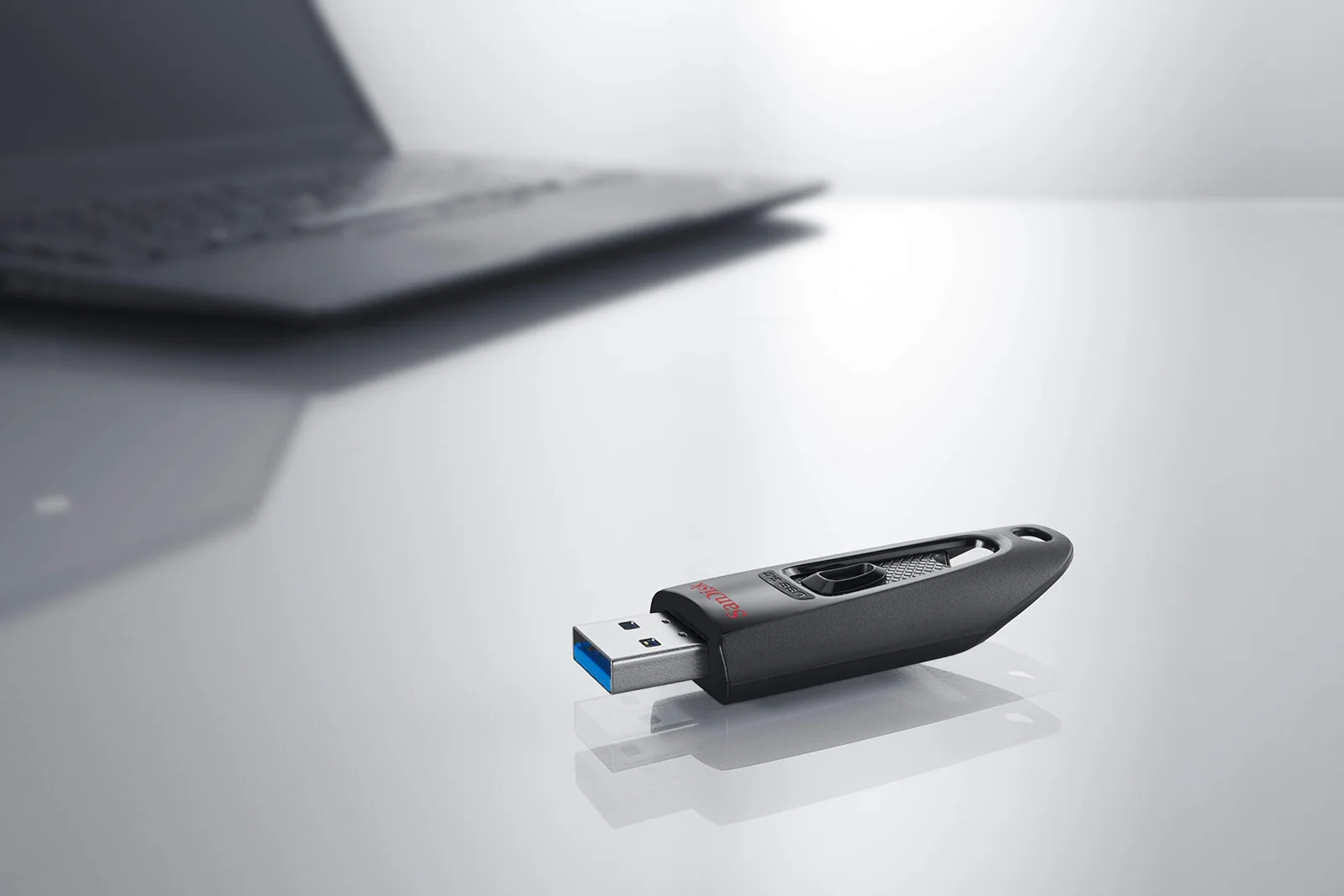
SanDisk Cruzer Blade, Ultra and Ultra Fit Flash Drives Reviewed
Four SanDisk sticks for everyday file carrying, sorted by speed, size and the one situation where a tiny drive caused trouble.
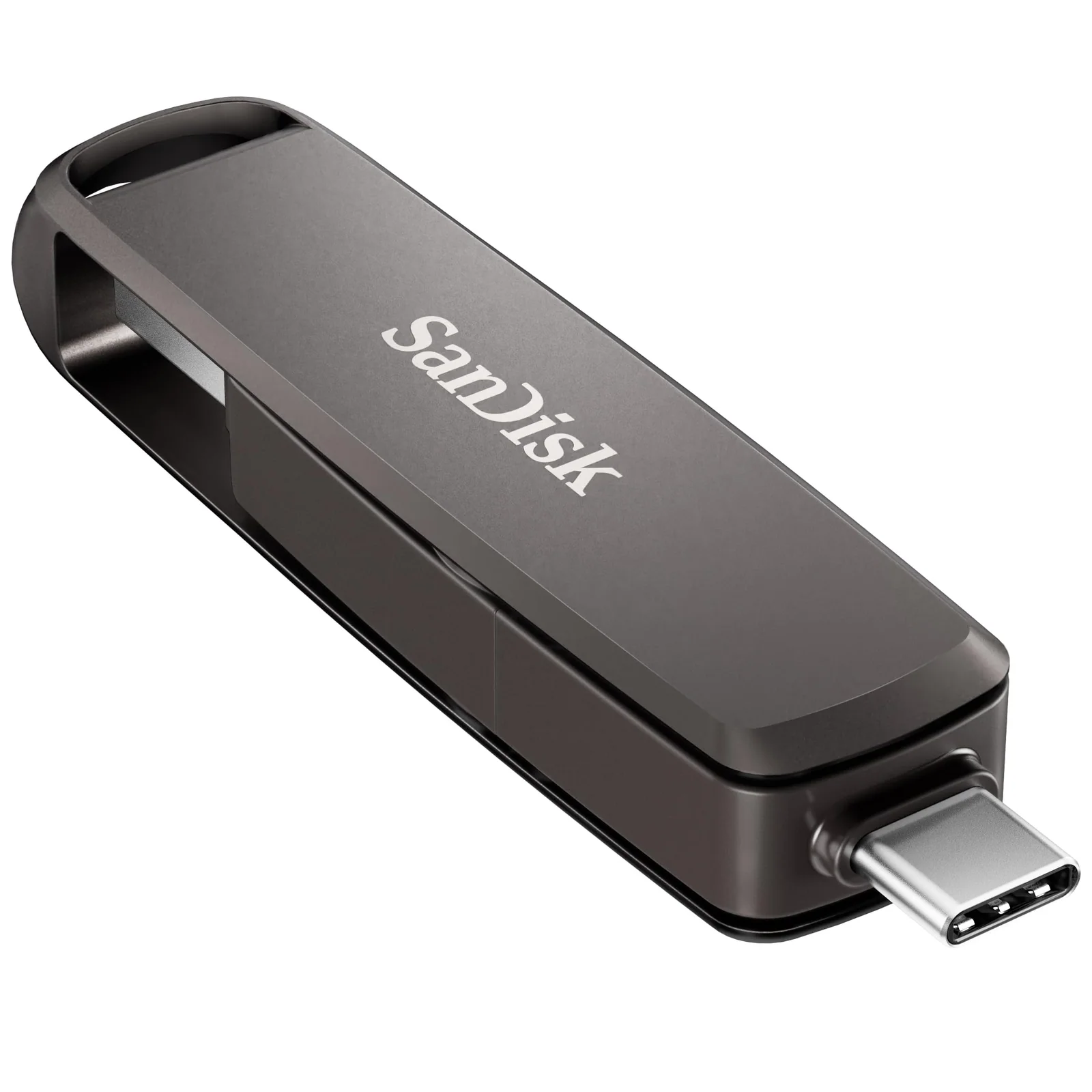
SanDisk Ultra Luxe vs Extreme PRO 1TB: Metal Flash Drives
A keychain-sized 128GB drive and a 1TB dual-connector drive share a metal body, but they answer very different jobs, and heat shows up in the reviews.
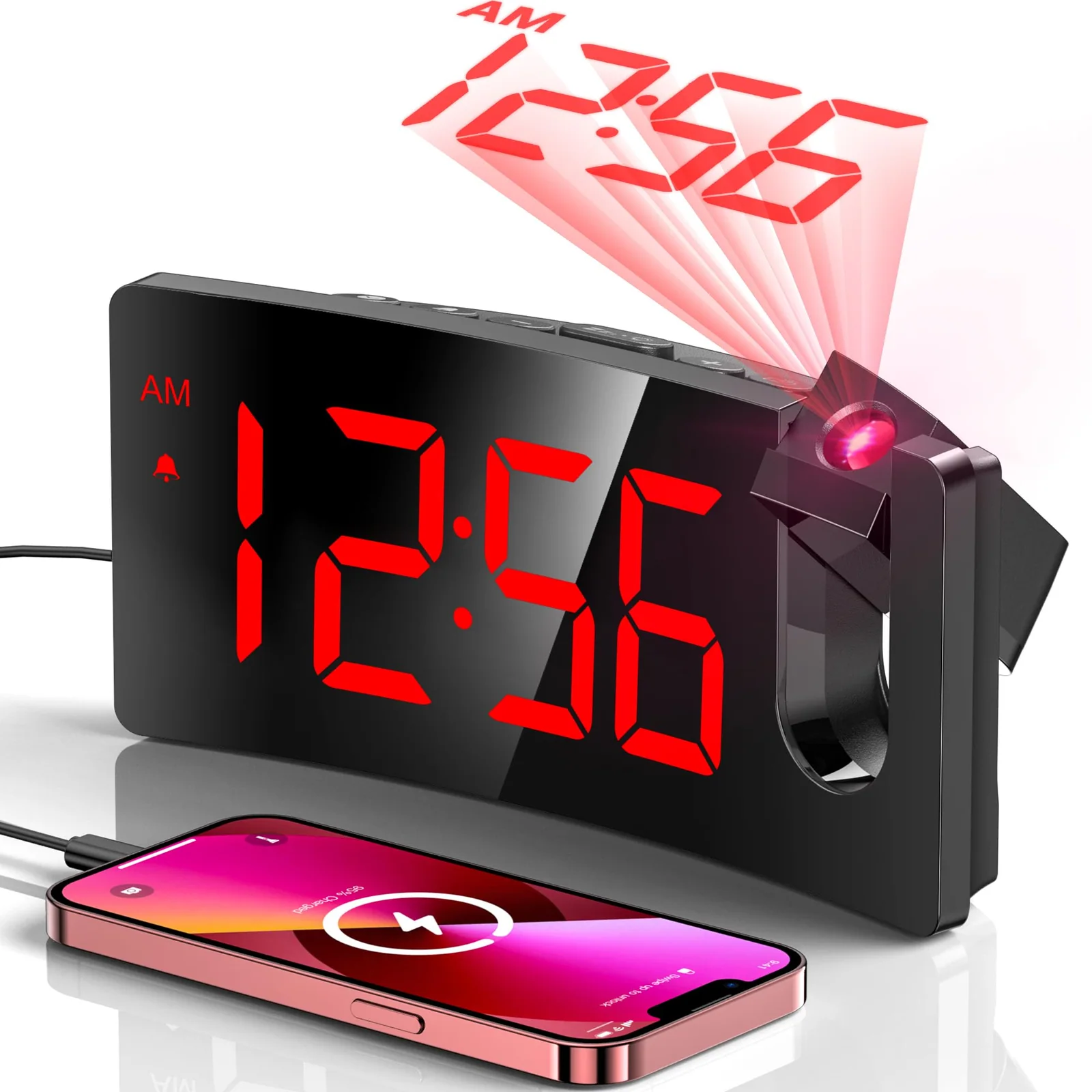
Projection vs Bedside Alarm Clock: Two GOLOZA Clocks Compared
One clock puts the time on your ceiling, the other makes the digits huge, and the right pick depends on your eyes and your room.